 AutoTyper
Describe it.
Watch it type
AutoTyper types your code and writing into any app, one keystroke at a time. It speeds up, slows down, hits the wrong key and fixes it, the way you would.
Two modes, one engine
Write with an AI you connect, or paste what you already have. Either way you read it over first, pick the app, and watch it get typed.
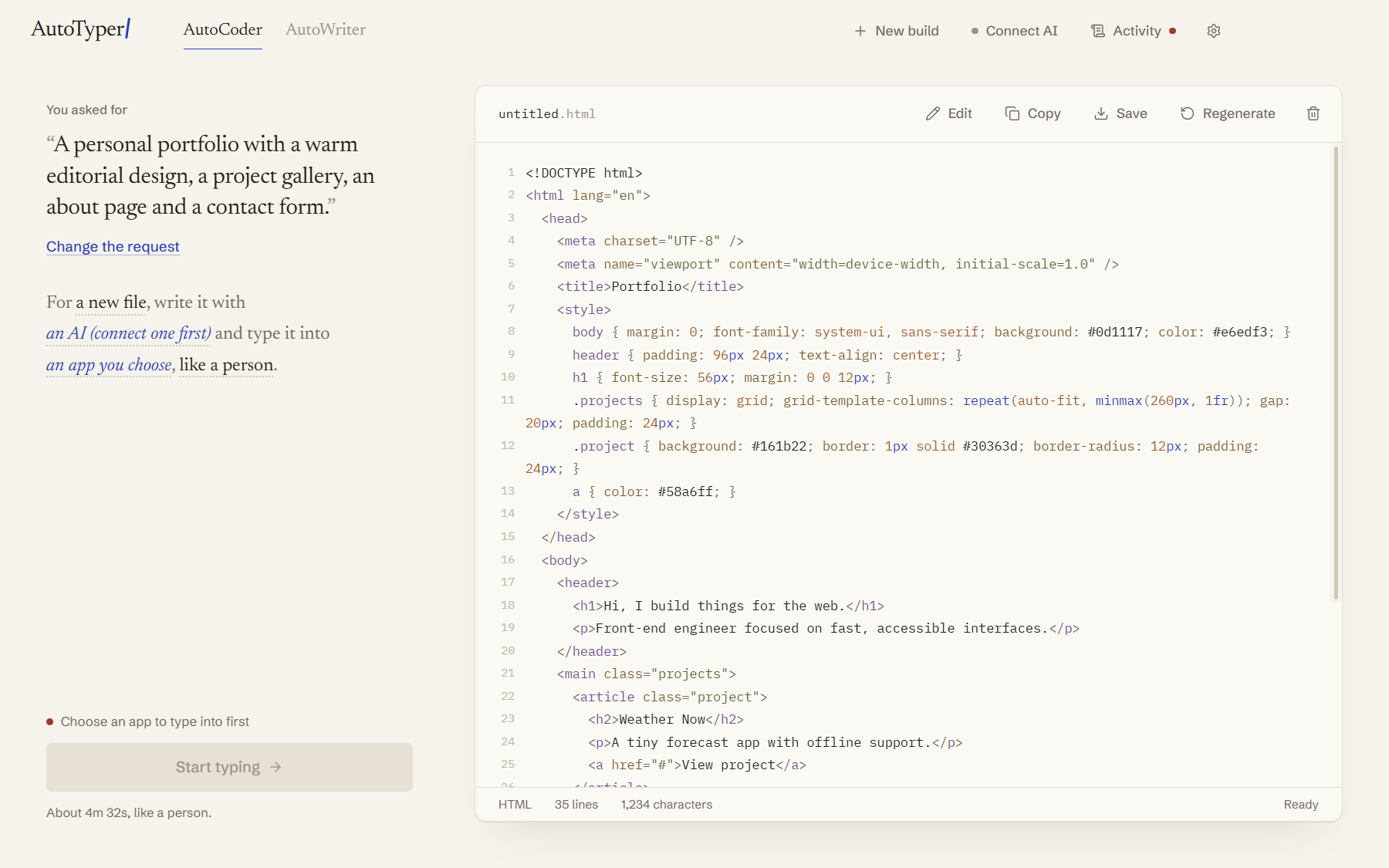
AutoCoder
Types code into VS Code, Cursor, JetBrains IDEs, Notepad++ and other editors. It copies and edits similar blocks, leaves a TODO and comes back to it, and undoes the editor's auto-closing brackets so the file ends up exactly right.
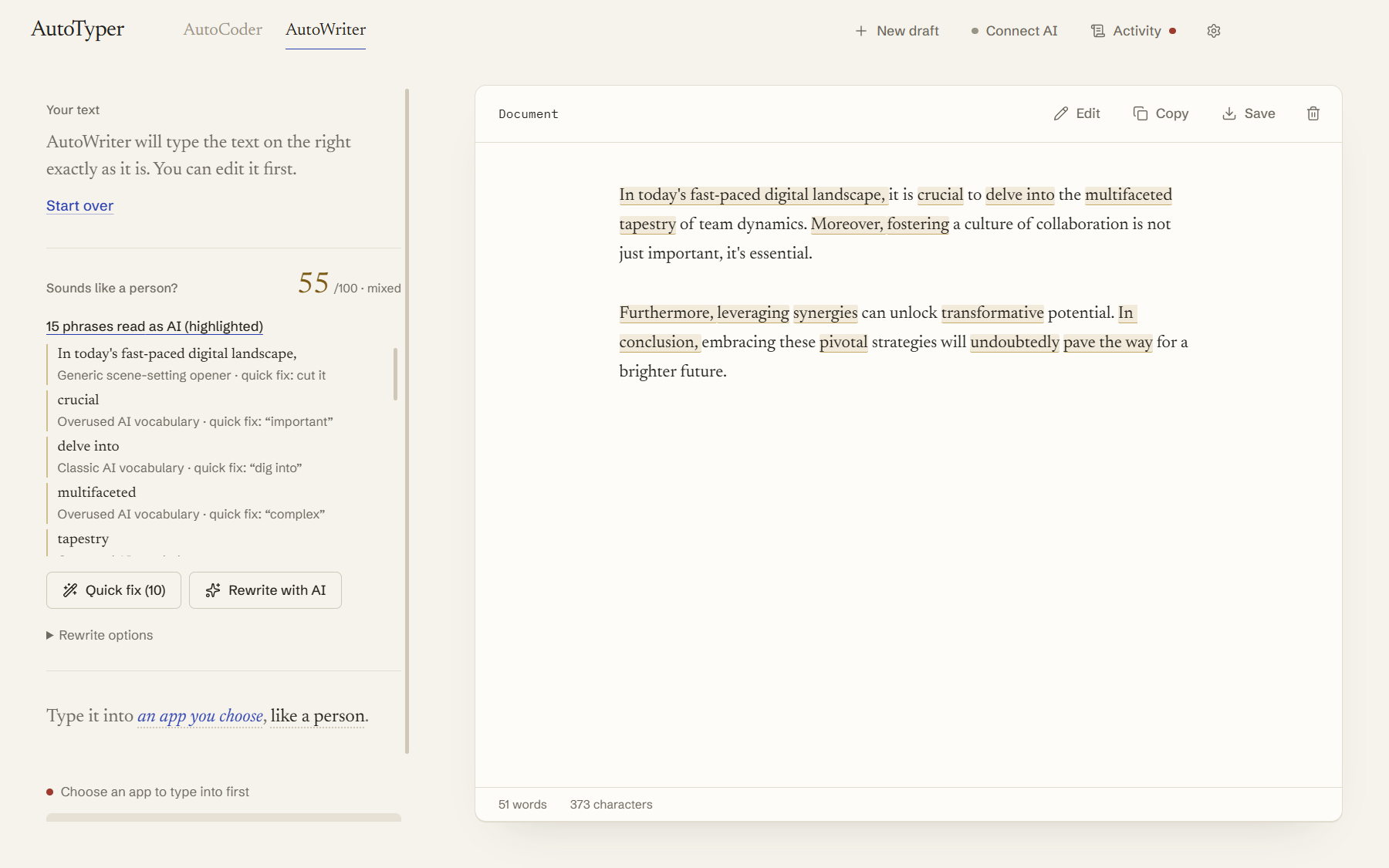
AutoWriter
Types documents into Word, Google Docs, Notepad and OneNote. Before it starts, it scores your text and highlights phrases that sound AI-written, with a one-click fix or a full rewrite.
You stay in control
It only types where you tell it to, and it stops the moment something looks off.
- Confirm firstNothing starts until you confirm the app and window it'll type into.
- Focus guardIf you switch windows, typing pauses before a single key lands somewhere else.
- Hands on the keyboardPress a key or click and it pauses right away.
- Emergency stopCtrl Alt Esc from anywhere, or the always-on-top Stop button.
- Your clipboard is safeAnything it copies or pastes gets put back the way it was.
- Works offlineOnly the AI writing needs a connection. Claude, ChatGPT, Gemini, OpenRouter, or a free local model with Ollama.
Install
- Download AutoTyper-Setup.exe from the latest release.
- Run it and pick where to install. It adds a Start menu and desktop shortcut.
- Open AutoTyper, connect an AI if you want one, and type your first file.
The installer isn't code-signed yet, so Windows SmartScreen may say it "protected your PC". Click More info, then Run anyway. The full source is on GitHub if you'd rather build it yourself.
Build from source:
git clone https://github.com/TheAgencyMGE/autotyper.git
cd autotyper
npm install
npm run build
npm start
Use it honestly
AutoTyper is for demos, screencasts, tutorials, presentations, and typing out your own work where pasting is blocked. Don't use it to pass off work as yours where that isn't allowed, like graded coursework or exams with rules about AI.